
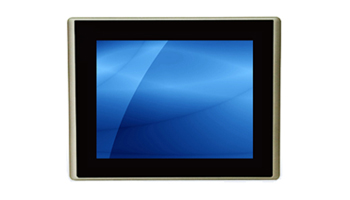
An HMI (Human-Machine Interface) is the point of interaction between a human operator and an industrial machine, process, or system. In modern industrial environments, HMIs are typically touchscreen panel PCs running specialized software that displays process data and accepts operator input.
What Does an HMI Do?
An HMI serves as the operator's window into an industrial process:
- Visualizes process data: Temperature, pressure, flow rates, machine states displayed graphically
- Accepts operator input: Start/stop commands, setpoint adjustments, recipe selection
- Displays alarms: Alerts operators to abnormal conditions requiring attention
- Logs data: Records process values, events, and operator actions for analysis and compliance
- Provides diagnostics: Shows machine health, maintenance schedules, and error codes
HMI Hardware Options
Dedicated HMI Panels
Proprietary hardware from PLC manufacturers (Siemens, Allen-Bradley, Mitsubishi). Tightly integrated with their PLC ecosystem but limited in processing power and display capabilities.
Industrial Panel PCs as HMIs
Standard industrial panel PCs running Windows or Linux with HMI software (Ignition, WonderWare, AVEVA, FactoryTalk View). Offer:
- More processing power than dedicated panels
- Larger, higher-resolution displays (up to 24" 1080p or larger)
- Software flexibility (run any HMI software, plus additional applications)
- Standard OS for easier IT management and integration
- Longer lifecycle with hardware-software independence
Web-Based HMIs
Modern HMI platforms serve interfaces through web browsers, allowing any industrial panel PC or monitor with a browser to act as an HMI terminal. Benefits include centralized management and device-independent access.
Key Specifications for HMI Panel PCs
Display
- Size: 7" for single-machine interfaces to 24" for complex process overview
- Resolution: 1920x1080 recommended for modern HMI software
- Brightness: 350+ nits for indoor, 1,000+ nits for outdoor
- Touchscreen: PCAP for modern multi-touch; resistive for gloved operation
Processing
- Basic HMI (single machine, simple graphics): Intel Celeron/Atom, 4GB RAM
- Standard HMI (multi-screen, trending, logging): Intel Core i5, 8GB RAM
- Advanced HMI (video, machine vision, complex graphics): Intel Core i7, 16GB+ RAM
Environment
- IP65 front panel minimum for production floor deployment
- Wide temperature for non-climate-controlled areas
- Fanless for dusty environments and food processing
Connectivity
- Ethernet: For PLC communication (EtherNet/IP, PROFINET, Modbus TCP)
- Serial: For legacy PLC connections (RS-232/485)
- USB: For keyboard, mouse, barcode scanner, USB drives
HMI Software Platforms
| Platform | Vendor | Strengths |
|---|---|---|
| Ignition | Inductive Automation | Web-based, unlimited licensing, cross-platform |
| FactoryTalk View | Rockwell/Allen-Bradley | Tight integration with ControlLogix |
| WinCC | Siemens | Integration with S7 PLCs and TIA Portal |
| AVEVA (Wonderware) | AVEVA | InTouch HMI, historian, enterprise integration |
| Movicon | Progea | Flexible, supports multiple PLC protocols |
Best Practices for HMI Deployment
- Right-size the display: Too small = operator errors; too large = wasted space and cost
- Use PCAP touchscreen for modern deployments — better durability and user experience
- Specify fanless for any environment with dust, moisture, or food processing
- Plan for the OS lifecycle — Windows IoT LTSC provides 10-year support
- Include remote access capability for off-floor troubleshooting
Acnodes Corporation manufactures HMI panel PCs from 7" to 24" with PCAP touch, fanless cooling, and IP65 front panels. Contact us for help specifying the right HMI hardware.