
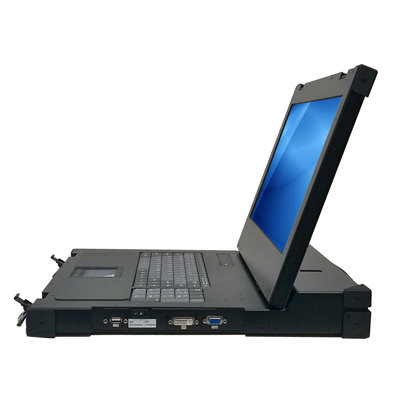
Not every workstation on the factory floor needs a full industrial PC, especially when operators only need access to a hosted application or virtual desktop. Industrial thin clients provide a simpler, more manageable alternative for many manufacturing computing needs — delivering the display and input interface while running applications on centralized servers. This approach can reduce maintenance because software images, security patches, and application updates are handled centrally instead of at every station. It also lowers the chance that a single workstation drifts out of configuration after an unauthorized software install or missed patch cycle. The tradeoff is that the workstation becomes more dependent on network quality and server availability, so it must be matched to the right use case.
What Is an Industrial Thin Client?
A thin client is a compact, low-power computing device designed to present a remote computing session rather than run the main application locally. It typically has enough processing power for display protocols, USB redirection, authentication, and basic management, but it does not need the CPU, storage, or expansion capacity of a full PC. Because fewer services run locally, the device can be easier to lock down and restore after a failure. The server infrastructure must be sized correctly, however, because too many simultaneous sessions can create slow screens, delayed scans, or frustrated operators. Functionally, a thin client provides these workstation services:
- Connects to a remote desktop session on a centralized server (Citrix, VMware Horizon, Microsoft RDS)
- Runs a minimal local operating system (thin client OS or embedded Linux/Windows IoT)
- Provides display, keyboard, mouse, and peripheral connectivity at the workstation
- Processes minimal data locally — all application logic runs on the server
An industrial thin client adds environmental ruggedization: fanless cooling, wide temperature, sealed enclosure, and industrial mounting. Those features matter at operator stations near washdown areas, dusty packaging lines, cold storage doors, or vibration-prone equipment where consumer thin clients may fail prematurely. Industrial designs also simplify mounting in control cabinets, on VESA arms, or inside kiosks where space is limited and maintenance access is inconvenient. Buyers should verify touch compatibility, display brightness, power input range, and whether the enclosure can be cleaned with the chemicals used in the plant. A small hardware premium can be cheaper than repeated service calls to replace office-grade devices in harsh locations.
Thin Client vs. Full Industrial PC
| Feature | Industrial Thin Client | Full Industrial PC |
|---|---|---|
| Processing | Server-side | Local |
| Storage | Minimal (4-16GB flash) | Full SSD (128GB+) |
| OS Management | Centralized, zero-touch | Individual OS instances |
| Software Updates | Server-side only | Each PC individually |
| Security | Minimal attack surface | Full OS attack surface |
| Cost | Lower ($300-800) | Higher ($1,500-5,000) |
| Network Dependency | High (requires server connection) | None (standalone) |
| Offline Operation | No | Yes |
| GPU-Intensive Apps | Limited (server GPU needed) | Local GPU available |
| Peripheral Support | Basic (USB redirect) | Full native support |
When to Choose a Thin Client
ERP and Business Applications
SAP, Oracle, and other ERP terminals on the factory floor are ideal thin client candidates because they are typically server-based applications with standard display and input requirements. Operators may only need to view inventory, confirm production steps, print labels, or record transactions, so local compute resources add cost without improving the workflow. Centralizing the application also helps IT enforce consistent versions and permissions across multiple lines, plants, or shifts. In a warehouse or kitting area, replacing a failed terminal can be as simple as connecting a spare unit and assigning it to the correct session profile. The main integration checks are barcode scanner redirection, label-printer mapping, touchscreen behavior, and authentication method at shift change.
Quality Data Entry
Quality data entry stations are often used where operators enter measurements, pass/fail results, and notes into centralized quality systems. The data lives on the server, so the workstation primarily serves as a durable interface for keyboard, touchscreen, scanner, or gauge input. A thin client can be a good fit when the inspection process does not require local image processing, specialized PCIe cards, or direct machine control. If a network outage would stop the station, the plant should decide whether paper fallback, local buffering, or a full PC is more appropriate. Gauge drivers and USB-to-serial adapters should be tested before rollout because peripheral redirection can behave differently from native local ports.
Work Order and MES Terminals
Manufacturing Execution System terminals often display work orders, standard operating procedures, production counts, and line status. These workflows are usually read-heavy with minimal local processing, making them well suited to a remote session. A thin client can also make it easier to replace a damaged workstation quickly because the operator's applications and permissions follow the server-side session rather than the physical device. Plants that run frequent product changeovers benefit when screens and instructions update centrally instead of relying on local files at each station. Engineers should still confirm that network latency does not make acknowledgments, scans, or touchscreen inputs feel sluggish during peak shift activity.
Multi-Shift Shared Workstations
When multiple operators share a workstation across shifts, thin clients with virtual desktops ensure each operator gets their own session, settings, and permissions regardless of which physical device they use. This is useful in plants where staffing changes by line, product, or shift and where shared local Windows profiles can become difficult to manage. It also supports security practices such as role-based access and fast session termination when an operator clocks out or moves to another station. Supervisors can reassign users without moving hardware, which helps during overtime, training, or temporary line balancing. The design should include badge login, session timeout, and a clear recovery process for abandoned or disconnected sessions.
When NOT to Use a Thin Client
- Real-time machine control: Latency from server round-trips is unacceptable
- Machine vision / AI inference: Requires local GPU processing
- PLC programming: Needs direct serial/Ethernet connection to PLCs
- Unreliable networks: No server connection = no functionality
- Video playback / CAD: High-bandwidth graphics strain remote display protocols
Acnodes Corporation offers both industrial thin clients and full-featured industrial PCs. Contact us for help determining the right approach for your factory floor workstations.